


The dynamic notch
The meeting starts. Your notch is already listening.
WhisperBrain detects Zoom, Meet, or Teams and expands around your MacBook notch with live transcription and one clear stop control.

WhisperBrain captures conversations privately on your Mac, preserves the reasoning behind every decision, and saves it to your Obsidian vault.


A second brain, in your stack
Bring your vault. Choose your models.






WhisperBrain keeps the memory layer yours, while fitting into the tools you already use to think and build.
The cost of forgetting
The expensive part of a meeting is rarely the hour on your calendar. It is the week you lose later, recreating a decision because nobody remembers what led you there.
What did we decide — and why?
WhisperBrain keeps the answer close to the conversation that made it. Not as another dashboard to maintain, but as memory you can find when the question comes back.

A second brain for the room
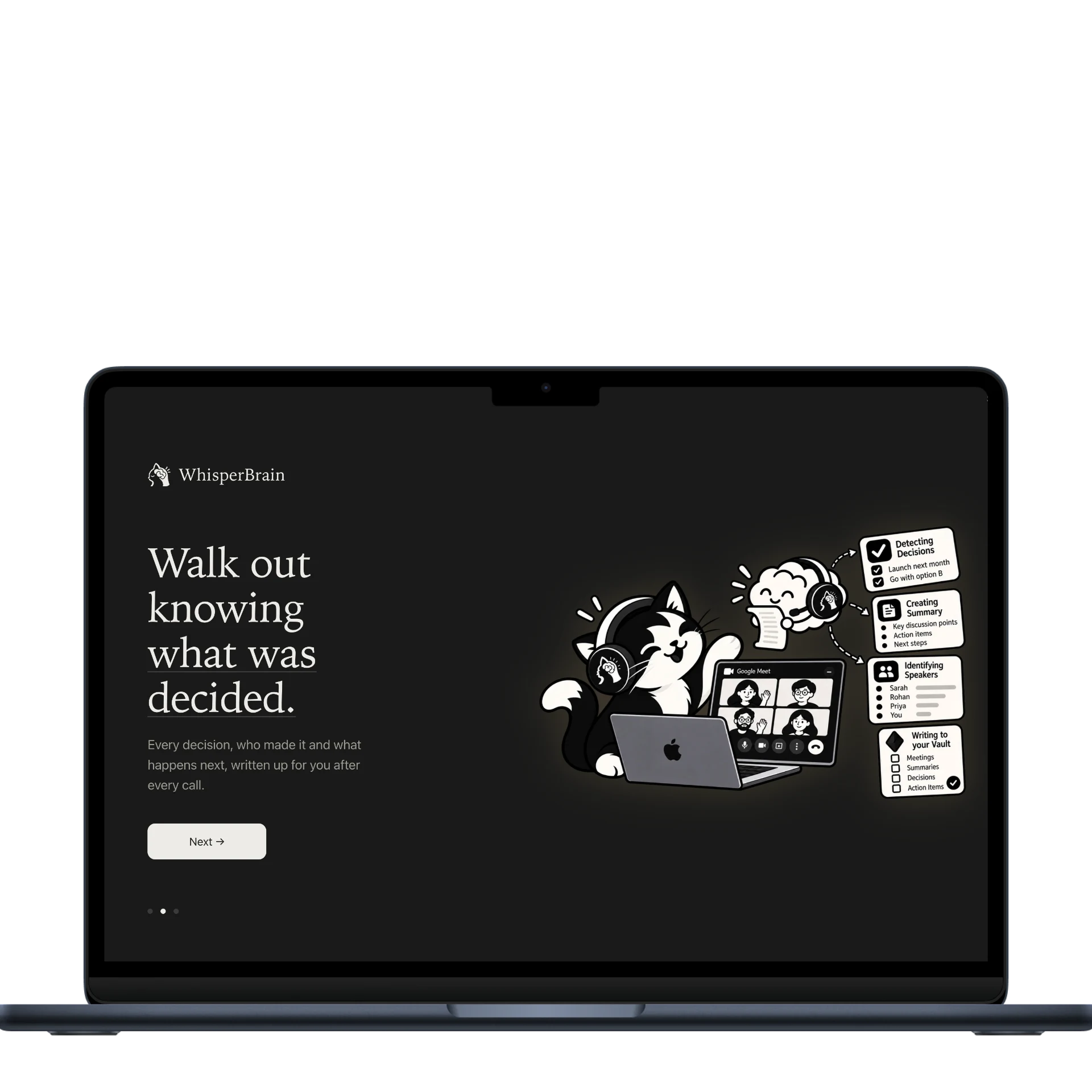
WhisperBrain notices the call, understands the conversation, and carries the important parts forward.
The dynamic notch
WhisperBrain detects Zoom, Meet, or Teams and expands around your MacBook notch with live transcription and one clear stop control.
Knows who said it
Name a voice once. The voiceprint stays on your Mac.
It supports 40 languages
Hindi, Tamil, Bengali, Urdu and Marathi live in the same vocabulary as English — so a sentence that starts in one and finishes in another stays one sentence.
The decision ledger
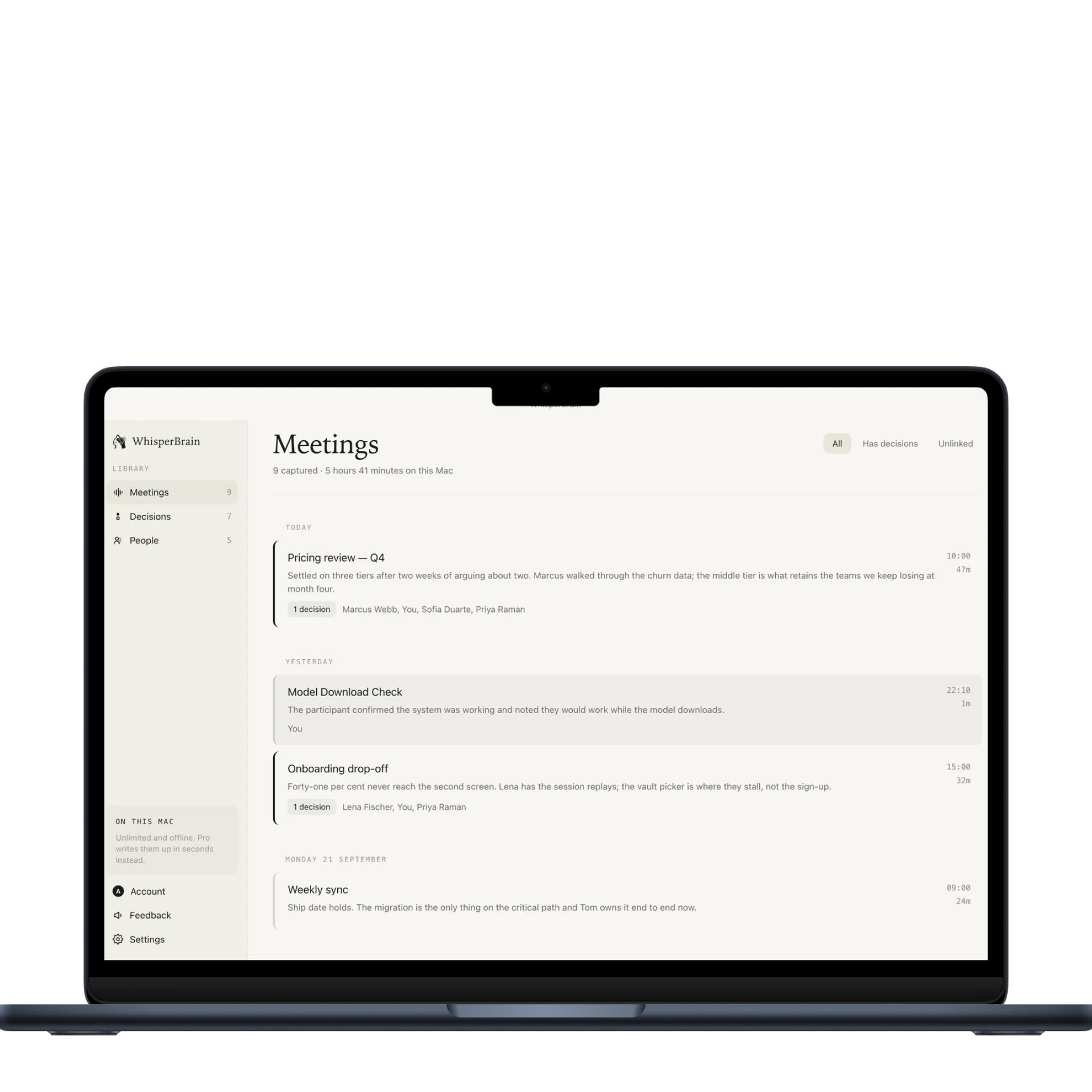
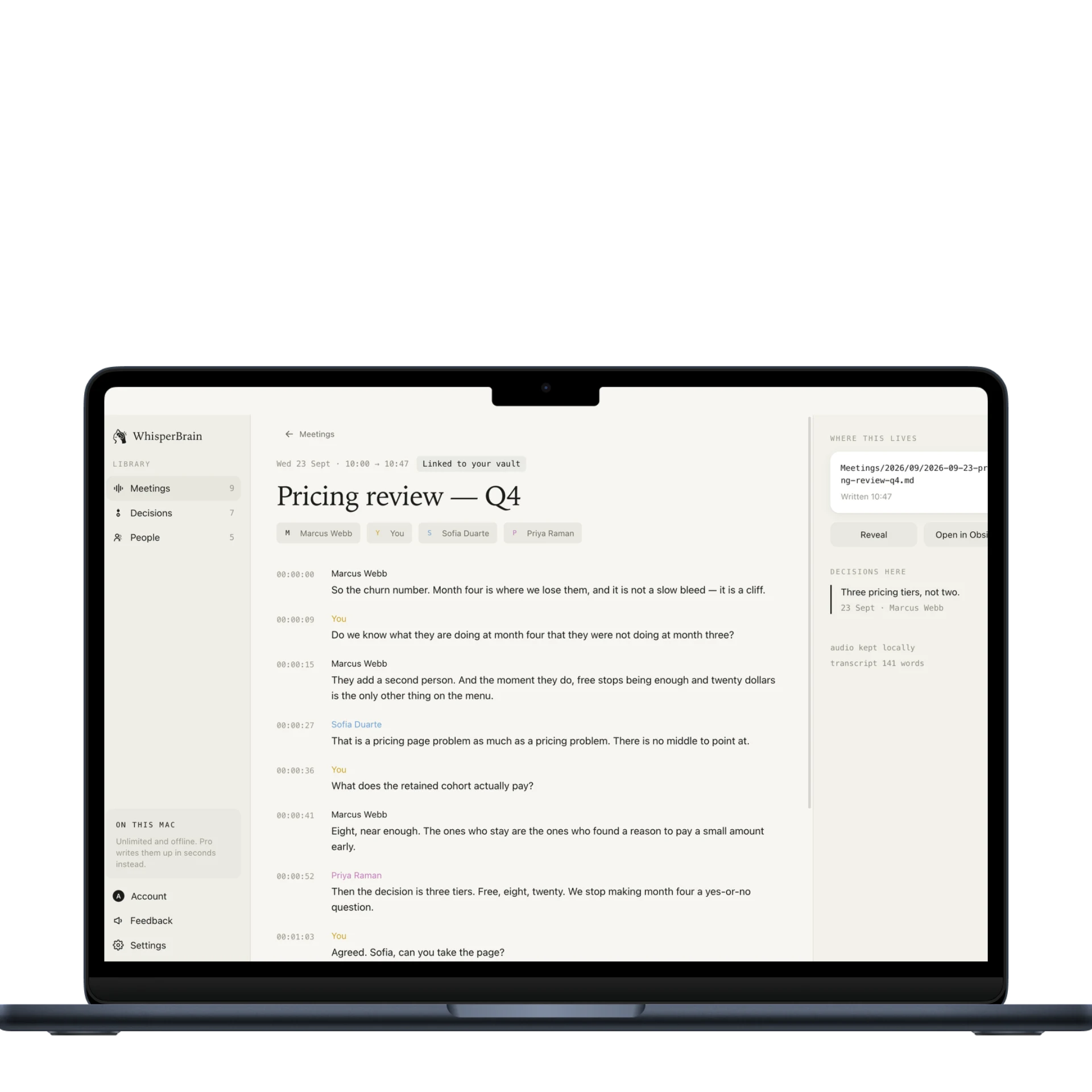
The part of a second brain nothing else builds: every decision filed with its date and the reasoning that produced it, searchable months later, in a markdown file you own.

It lives in your vault
Notes land in the Obsidian vault you already keep — as plain markdown you still own tomorrow.
On this Mac, forever
Unlimited meetings, transcription and summaries, run on your own hardware with no cap and no card.
See pricingA better way to leave a meeting
Most meeting tools give you a document to search. WhisperBrain gives you a memory to build on — one that gets more useful every time a decision comes back around.
No bot in the attendee list. No awkward recording announcement. Just your Mac listening to the call it is already playing.
A decision from six months ago should not have to be made again because everyone forgot why it happened.
Real markdown in your existing Obsidian vault. Your notes remain yours, even if you stop using the app tomorrow.
The decision ledger
A choice gets made on Monday, questioned on Thursday, and quietly changed three months later. The ledger remembers all of it — the decision, the reason, and what happened next.
Your meetings, connected
Every conversation adds another node: a person, a project, a decision, a reason. Over time, the scattered moments turn into a living history of how the work got here.
Not a transcript archive. A second brain for the decisions inside it.
 WhisperBrain
 Obsidian
The feeling we're building
These are the reactions WhisperBrain is designed to earn: less rework, fewer repeated debates, and a clearer next step.
“I don't need another place to read what happened. I need to know why we chose it when the question comes back.”
“The best meeting note is the one that saves the next meeting from happening again.”
“A new teammate should inherit the reasoning, not just a folder full of summaries.”
Right where you look
The dynamic notch appears when a meeting starts, shows the words as they happen, and gets out of the way when you finish.
See how privacy worksPrivate by default
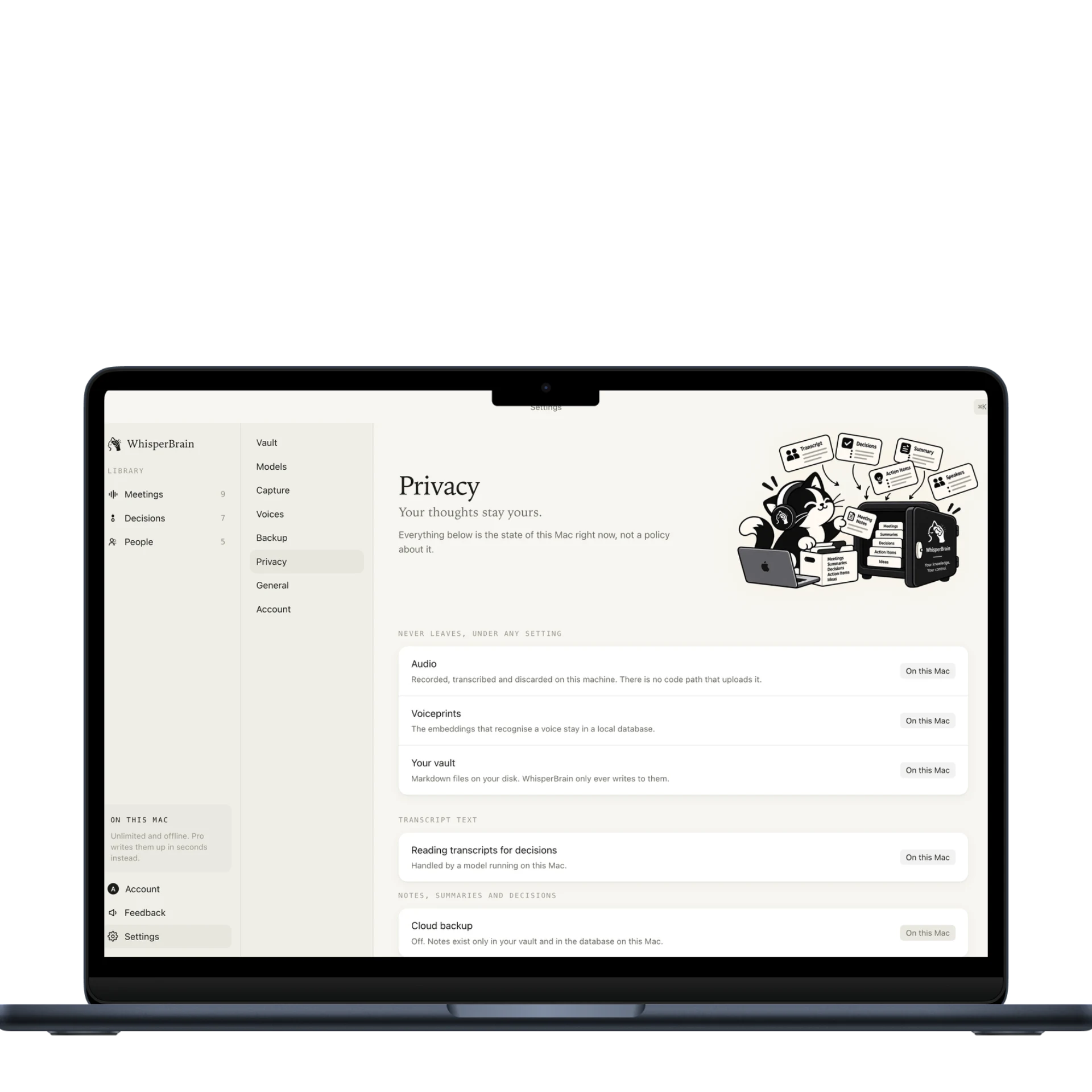
Audio and voiceprints never leave the machine. Recording, transcription, and speaker recognition run locally — on every plan, forever. Only transcript text can optionally go to the cloud when you ask WhisperBrain to extract a summary or decision.
Start with what matters
The local app does the real work without a subscription. Turn on WhisperBrain Cloud when you want instant setup, faster summaries, and decision extraction across 40+ languages.
Forever, with no meeting cap.
Fast cloud inference. No local model downloads. $72 a year.
$180 a year.
Questions, answered
No. It runs on your Mac and listens to the audio already playing through it. Nobody sees another participant in the room.
Audio and voiceprints never leave. If you enable cloud features, only transcript text is sent for summaries and decision extraction.
They stay in your Obsidian vault as ordinary markdown. You keep every file, link, and decision.
Yes. WhisperBrain notices calls in Zoom, Google Meet and Microsoft Teams, whether they run in their native app or in a browser tab. It listens to the audio your Mac is already playing, so no bot needs to join.
Most notetakers stop at a transcript or one meeting summary. WhisperBrain builds a decision ledger: what was decided, why, who said it, and what changed when the topic came back months later. It is local-first, invisible in the room, and writes to your own Obsidian vault.
Accuracy depends on the recording quality, background noise, accents and overlapping speech. WhisperBrain is designed to capture clear meeting audio and identify speakers; for names, numbers and final decisions, it is still wise to give the generated note a quick review.
The Cloud tier supports 40+ languages, including mixed-language conversations. Local language support depends on the transcription model installed on your Mac.
Local recording, transcription and diarization are unlimited on every Mac. The optional Cloud tier meters only the transcript-based inference used for summaries and decisions, so small teams pay for the speed they use rather than for stored audio.
Download the Mac app, grant audio access, and choose your existing Obsidian vault. Cloud mode removes the download and starts instantly; either way, there is no meeting bot to configure.
Yes. Local recording and transcription are unlimited. WhisperBrain can also stop automatically when the room goes quiet, which keeps long or loosely structured sessions tidy.
WhisperBrain's source of truth is plain Markdown in your Obsidian vault, not a proprietary workspace. You can link or move those notes into other tools, while direct integrations are not part of the current release.
No. Audio and voiceprints stay on your Mac on every plan. If you turn on Cloud features, only transcript text is sent to external models for inference.
WhisperBrain never joins as a participant, so there is no bot in the attendee list or recording banner from WhisperBrain. Always follow the consent and recording laws that apply where you are.
Yes. Recording, local transcription and speaker diarization work offline. Cloud summaries and decision extraction need an internet connection because transcript text is sent for inference.
Yes. WhisperBrain writes real Markdown into your existing Obsidian vault and follows the folders and linking conventions you already use.
Your notes remain ordinary Markdown files on your disk. You keep the meetings, decisions, links and history even if WhisperBrain disappears tomorrow.
It compares a new decision with standing decisions on the same topic, looking for changed choices, incompatible terms or a superseded status. It surfaces the possible conflict for you to review; it never silently rewrites your history.
Not in the current release. WhisperBrain keeps audio local and uses external models only for optional transcript inference; provider controls are on the roadmap.